Every AI, one window
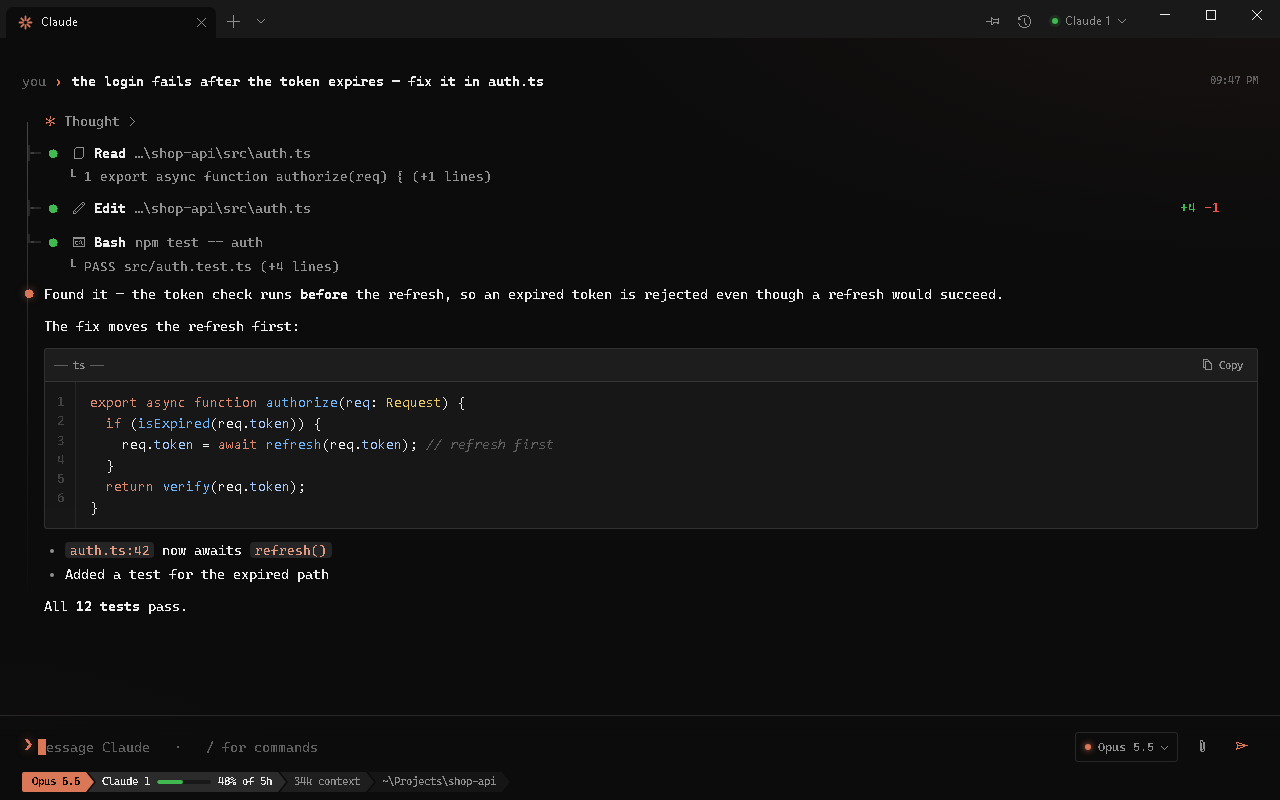
Claude Code, Codex and Gemini CLI in a real chat view: streaming replies, rendered markdown, code you can copy, a model picker for each.
Claude, ChatGPT and Gemini in one fast window. When an account runs out, the next one picks up mid-sentence, so the work never stops.
Latest version · Windows 10 & 11 · macOS 12 or newer
Add your accounts once. When one hits its limit, Cmdhive moves the same conversation to the next and carries on. When every account of one AI is out, another AI takes over with the whole conversation.
Claude Code, Codex and Gemini CLI in a real chat view: streaming replies, rendered markdown, code you can copy, a model picker for each.
Several accounts, one conversation. Cmdhive switches to the next account by itself and tells you when the first one is back.
What one AI learns, they all know. Your preferences and project decisions live in one memory every AI reads and adds to.
Your desktop and your laptop share that memory through a folder you already sync, like OneDrive or iCloud. No server, no account.
Watch the AI browse and playtest like a live stream, its steps beside the page. When a site needs a person, like a CAPTCHA, it hands over to you.
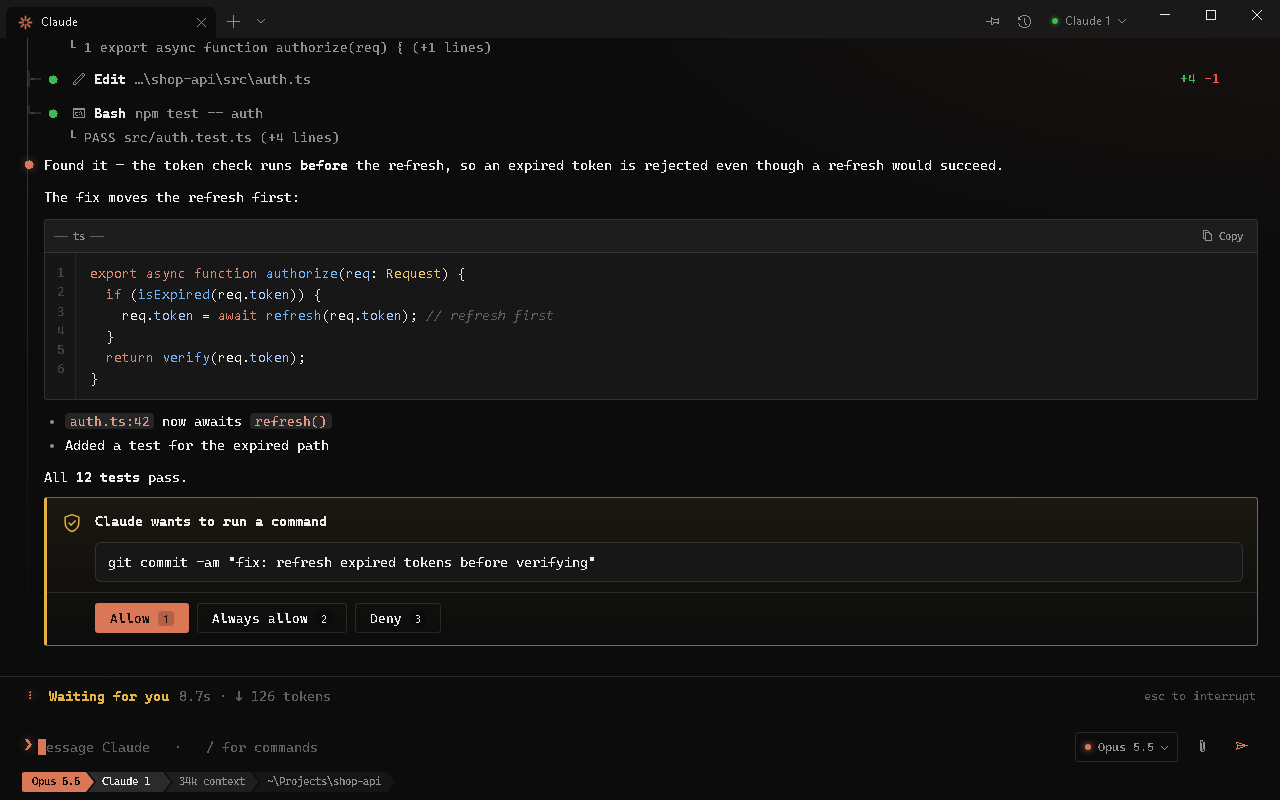
Every edit and command can wait for you on an approval card: allow it once, always, or deny it. Or switch the questions off.
Cmdhive runs the AI tools you already use, on your own computer. Nothing about you goes anywhere it doesn't have to.

Free, open source, and it updates itself.